Should students use one app or several?
One tool for execution is usually enough. Many students still keep Apple Reminders or calendar as an input layer, but the daily “what am I doing now?” view should stay simple.
The best student task manager is rarely the one with the most features. It is the one that keeps planning lightweight and makes the next action obvious on a small screen.
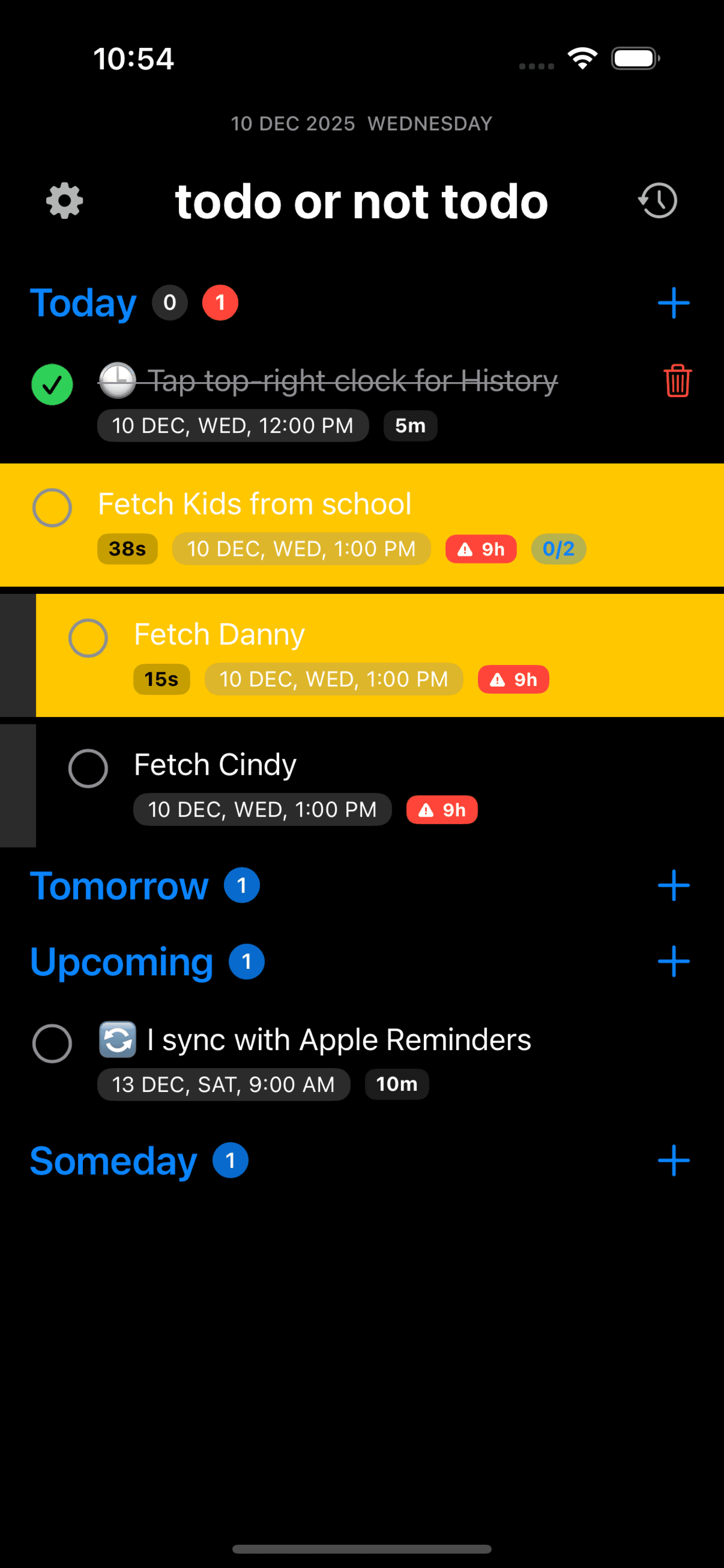
Students usually manage tasks in short gaps: walking to class, waiting for a lab to start, or resetting after a lecture. That makes speed and clarity more important than deep configuration. If adding a task takes too many taps, the system breaks the moment academic life gets busy.
The most useful criteria are simple: can you capture quickly, can you see today clearly, can you recover after interruptions, and can you trust reminders to match what you need to do next.
Complex apps can be powerful, but they are easy to turn into a hobby. Students start by building tags, nested projects, and detailed views, then discover the upkeep costs more attention than the schoolwork itself. A system that demands regular maintenance is fragile during exam weeks.
That does not mean advanced tools are bad. It means the best tool depends on whether your problem is project architecture or day-to-day follow-through. Most students need better daily execution first.
A useful iPhone study manager should make it easy to reduce the day into a few meaningful tasks, move unfinished work forward without guilt, and show what is active without opening six menus. That is where simple buckets, recurring reviews, and lightweight focus states help.
TONT fits students who want a lighter execution layer on top of Apple-native workflows. If you want a richer planning system or team collaboration, another tool may fit better. The honest choice depends on whether you are solving for planning depth or execution speed.
One tool for execution is usually enough. Many students still keep Apple Reminders or calendar as an input layer, but the daily “what am I doing now?” view should stay simple.
It becomes worth it when you genuinely manage complex projects with many dependencies. For most students, complexity arrives later than they think.
Updated 2025
Updated 2025
Current
If you want a lighter execution layer after planning and study prep, TONT keeps the next task visible without turning your day into another maintenance project.
Explore TONT