
A to-do list with a Lock Screen timer
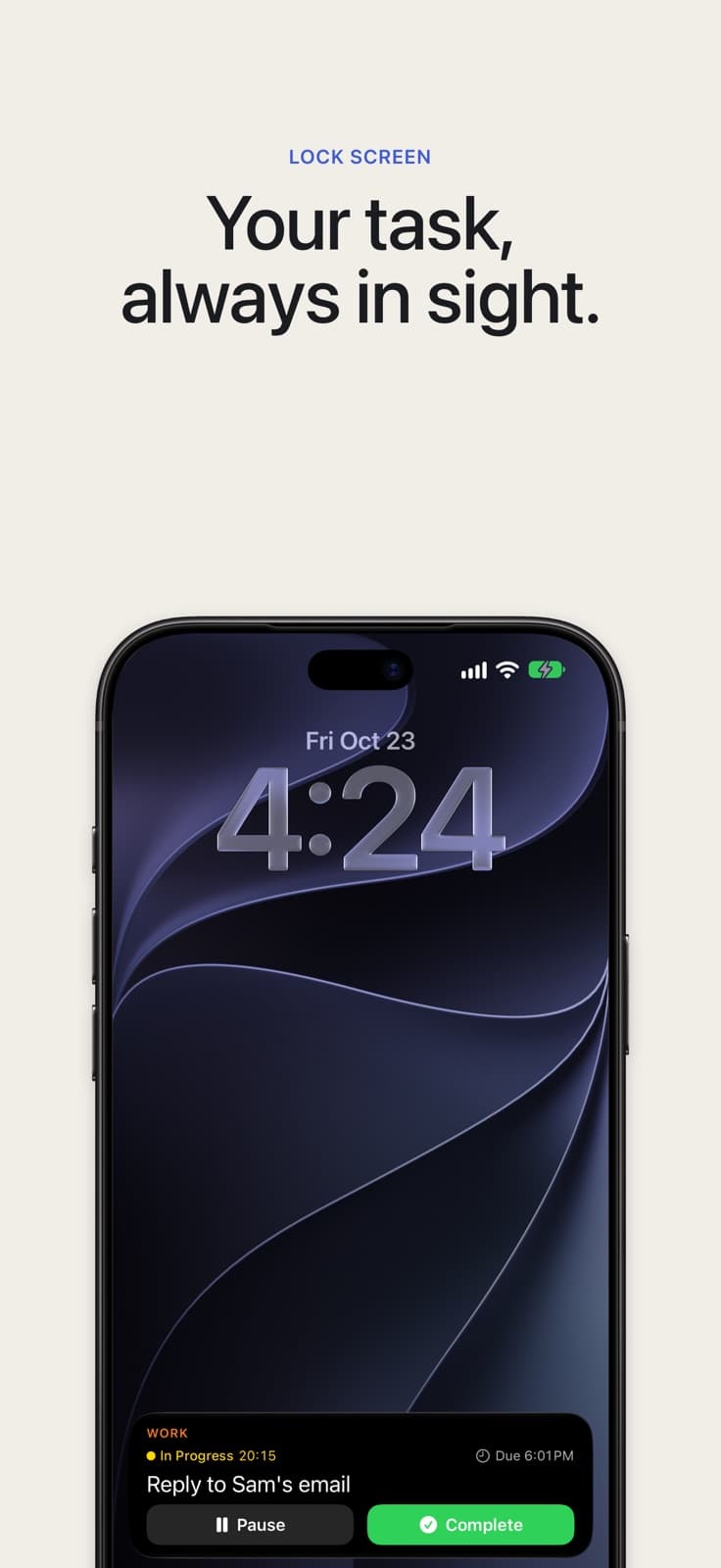
Swipe right on a task and TONT starts its timer. The task and its timer sit on your Lock Screen and in the Dynamic Island, so you see what you are doing without opening the app.
Free on the App Store. No account, no ads.

How it works
- Swipe right on a task to start it. The row turns yellow and the timer starts.
- Lock your iPhone. The task is on the Lock Screen with its group, its due time and a running timer.
- Tap Pause or Complete on the card. TONT can stay closed.
- On an iPhone with the Dynamic Island, the timer rides along at the top of the screen while you use other apps.
A timer that counts honestly
Pause for an hour, come back, resume. Only the time you actually worked is added up.
History shows what you finished, when you started and how long it took.
One timer free, more with Pro
Free runs one task at a time, with its subtasks.
Pro times more than one task at once, and each running task gets its own Lock Screen card. Pro is one purchase, no subscription. Price shown in the app.
Pro also adds Apple Reminders sync, both ways.
Who it is for
People who make a list and then lose the thread. Start one task, lock your phone, and it is the first thing you see when you pick the phone up again.
If a long list makes you freeze, you do not need to look at it. The task you started stays in sight until you pause it or finish it.
See also Apple Reminders sync · Simple to-do list · All TONT features
TONT is free on the App Store.