
A simple to-do list for iPhone, with four buckets
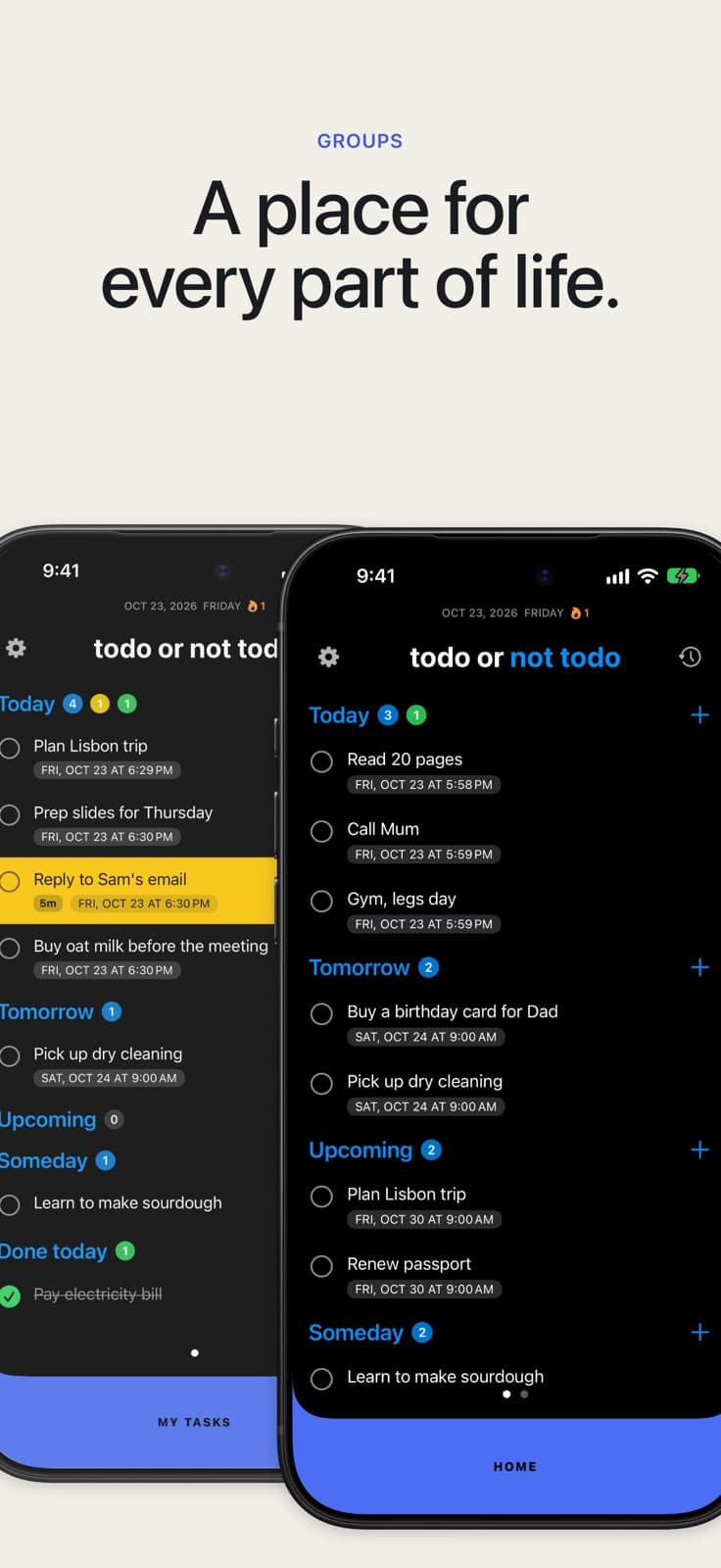
TONT sorts every task into Today, Tomorrow, Upcoming or Someday. There are no folders to set up. Add a task and it has a place.
Free on the App Store. No account, no ads.

How it works
- Tap + next to Today, Tomorrow, Upcoming or Someday and type the task.
- Swipe right on a task to start it. The row turns yellow and the timer starts.
- Tap the circle to finish it. It moves to Done today and stays there until midnight.
Four buckets, nothing else to learn
Today, Tomorrow, Upcoming and Someday. Every task sits in one of them, and each bucket shows how many tasks it holds.
Someday has no date. Put the things you mean to do one day there, and they wait without a deadline.
A big task, in small steps
Long press a task to break it into subtasks. Steps go one level deep, so the list never turns into a tree.
A progress badge on the task shows how far along you are. Finish the parent and the steps go with it.
Separate worlds when you need them
Groups are optional. One list is enough to start.
When work and home start to mix, add a group. Each group has its own colour and its own four buckets. Swipe the bottom bar to switch.
Free keeps two groups. Pro keeps as many as you like.
When the list still feels like too much
Start one task and keep its timer on your Lock Screen. The task you started stays in sight, so you do not need to look at the rest of the list.
Already keep tasks in Apple Reminders? With Pro, TONT syncs with Reminders both ways, so you can keep adding them where you already do.
Free and Pro
Free:
- Lock Screen and Dynamic Island timer, one task at a time
- Four buckets and two groups
- Subtasks and streaks
- The last seven days of history
- Five kinds of reminder, a sleep schedule
Pro, one purchase, no subscription, adds:
- Time more than one task at once
- As many groups as you like
- Full history with search
- Apple Reminders sync
Who it is for
People who want a to-do list without setting one up first. There are no folders or projects to plan. Add a task, pick a bucket, and get on with it.
New to TONT? Start at the home page, or see everything inside the app.
See also Lock Screen timer · Apple Reminders sync · All TONT features
TONT is free on the App Store.