
A to-do list that helps you start, not just plan
Making the list is the easy part. In TONT, one swipe starts a task and its timer, and the task you started stays in sight until you pause it or finish it.
Free on the App Store. No account, no ads.

How it works
- Swipe right on a task to start it. The row turns yellow and the timer starts.
- Lock your iPhone. The task is on the Lock Screen with a running timer, the first thing you see when you pick the phone up again.
- Tap the circle to finish it. It moves to Done today and stays there until midnight.
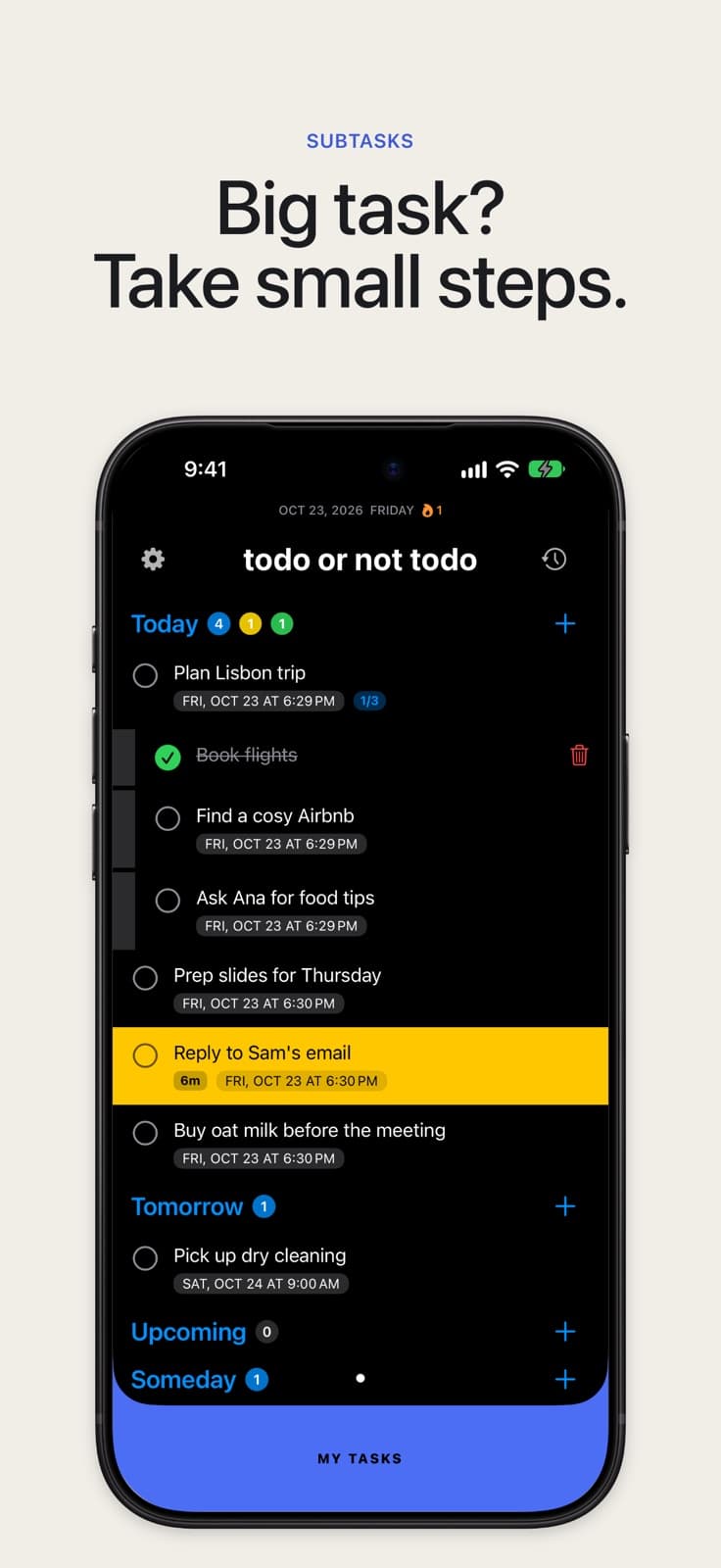
A big task, in small steps
Long press a task to break it into subtasks. Steps go one level deep, so the list never turns into a tree.
A progress badge on the task shows how far along you are. Finish the parent and the steps go with it.
Reminders that help you start
Five kinds of reminder, each with its own switch. Act from the notification: start, snooze, finish or move it.
Nothing is ever due while you sleep. A task added in your last hour before bed waits until after you wake.
See what you got done
History shows what you finished, when you started and how long it took.
Streaks come with milestones and cards you can share. Free for everyone.
Who it is for
People who make a list and then lose the thread. Skip the planning, start one task, and let the rest of the list wait.
Lose the thread when you open other apps? Keep one task in sight while you use other apps. Want less to set up? See the simple to-do list with four buckets.
See also Lock Screen timer · Apple Reminders sync · Simple to-do list · Stay focused on one task · All TONT features
TONT is free on the App Store.