
Stay on one task while you use other apps
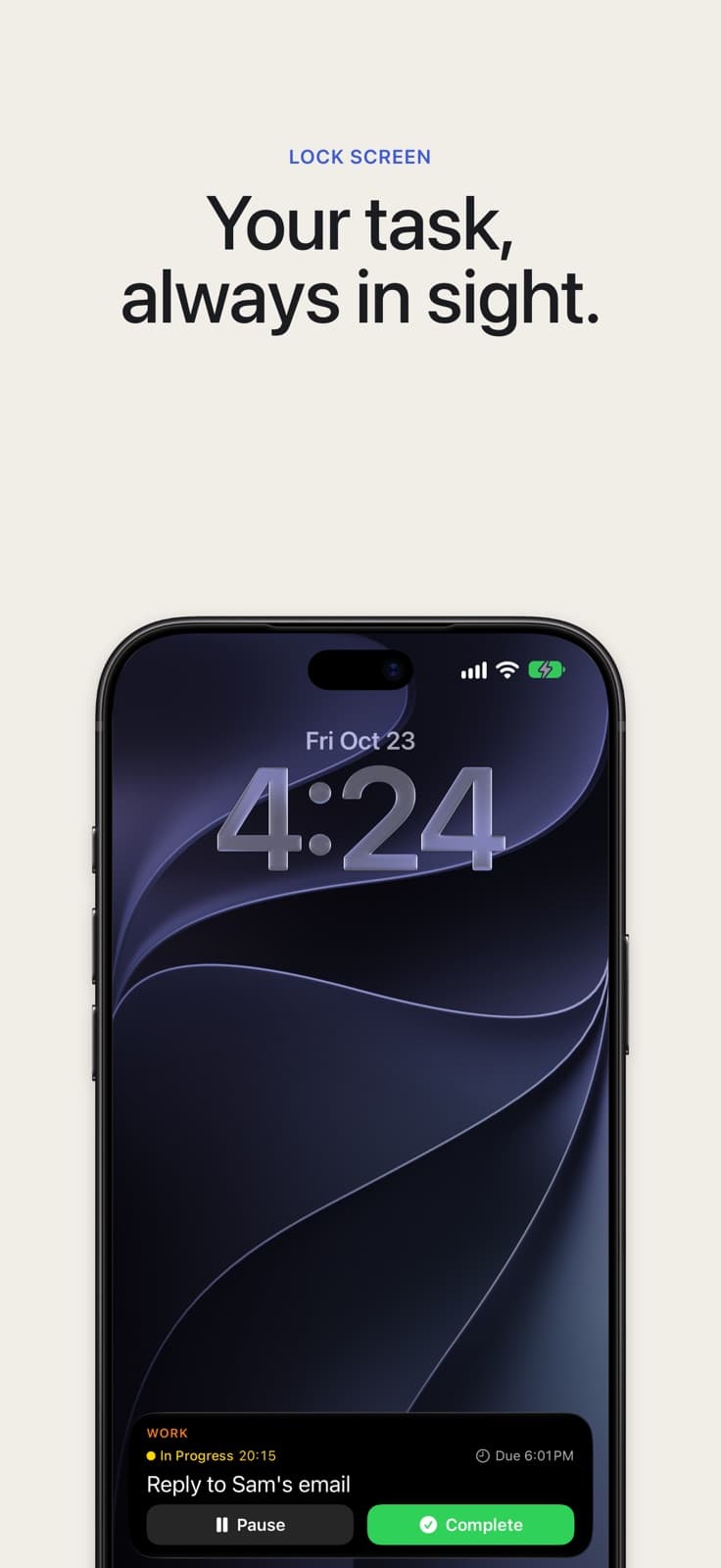
Swipe right on a task and TONT starts its timer. On an iPhone with the Dynamic Island, the timer rides along at the top of the screen while you use other apps. Lock your phone and the task is the first thing you see.
Free on the App Store. No account, no ads.

How it works
- Swipe right on a task to start it. The row turns yellow and the timer starts.
- Open another app. On an iPhone with the Dynamic Island, the timer rides along at the top of the screen.
- Lock your iPhone. The task is on the Lock Screen with its group, its due time and a running timer.
- Tap Pause or Complete on the card. TONT can stay closed.
One task in sight, not the whole list
If a long list makes you freeze, you do not need to look at it. The task you started stays in sight until you pause it or finish it.
Free runs one task at a time, with its subtasks.
Pro times more than one task at once, and each running task gets its own Lock Screen card. Pro is one purchase, no subscription. Price shown in the app.
A timer that counts honestly
Pause for an hour, come back, resume. Only the time you actually worked is added up.
History shows what you finished, when you started and how long it took.
Who it is for
People who open another app for a moment and lose the thread. Start the task first, and it stays in sight while you are away from TONT.
Want the details? See how the Lock Screen timer works. Make lists but never start them? Try a to-do list that helps you start.
See also Lock Screen timer · Apple Reminders sync · Simple to-do list · Start your tasks · All TONT features
TONT is free on the App Store.